

AI-powered · Mestti’s AI agent
Talk to your factory.
Otto reads your company’s stops, OEE, orders and inspections, answers in plain language and prepares the next action. It only happens after someone approves it.
Inside Mestti, open it with Ctrl + J.
I can make mistakes. Check anything critical on the source screen.
Where did I lose the most time this week?
- Reading this week’s stopsRead this week’s stops
- Grouping by machine and reasonGrouped by machine and reason
In Cutting: 6h40 of stops. 58% were missing material at CNC-02, almost always between 9 and 10 a.m.
I suggest staging the shift’s sheets first thing in the morning.
Confirm the plan
Create a task for Purchasing
Nothing is applied until you approve.
Logged in the history under your name.
Which orders might be late?
- Reading each machine’s queueRead each machine’s queue
- Comparing expected finish with due dateCompared expected finish with due date
3 orders finish after their due date. The most critical is WO 7815 on Drill 002: it ends Thursday, due Wednesday.
Moving WO 7815 up the queue fixes it without delaying another order.
Confirm the plan
Move WO 7815 up the queue
Nothing is applied until you approve.
Logged in the history under your name.
What’s still pending today?
- Reading today’s inspectionsRead today’s inspections
- Cross-checking non-conformitiesCross-checked non-conformities
2 inspections weren’t done and 1 non-conformity is waiting for verification.
- First piece · Injection 314h00
- Setup checklist · 250T press15h30
- Burr NC · verification—
The shift B lead hasn’t opened either of them yet.
Confirm the plan
Notify the shift B lead
Nothing is applied until you approve.
Logged in the history under your name.
Example with demo data.
Inside Mestti
Opens next to whatever screen you’re on.
Otto opens from a button at the top of every screen. You ask without leaving what you were doing, and it already knows which company you’re in and what you’re allowed to see.
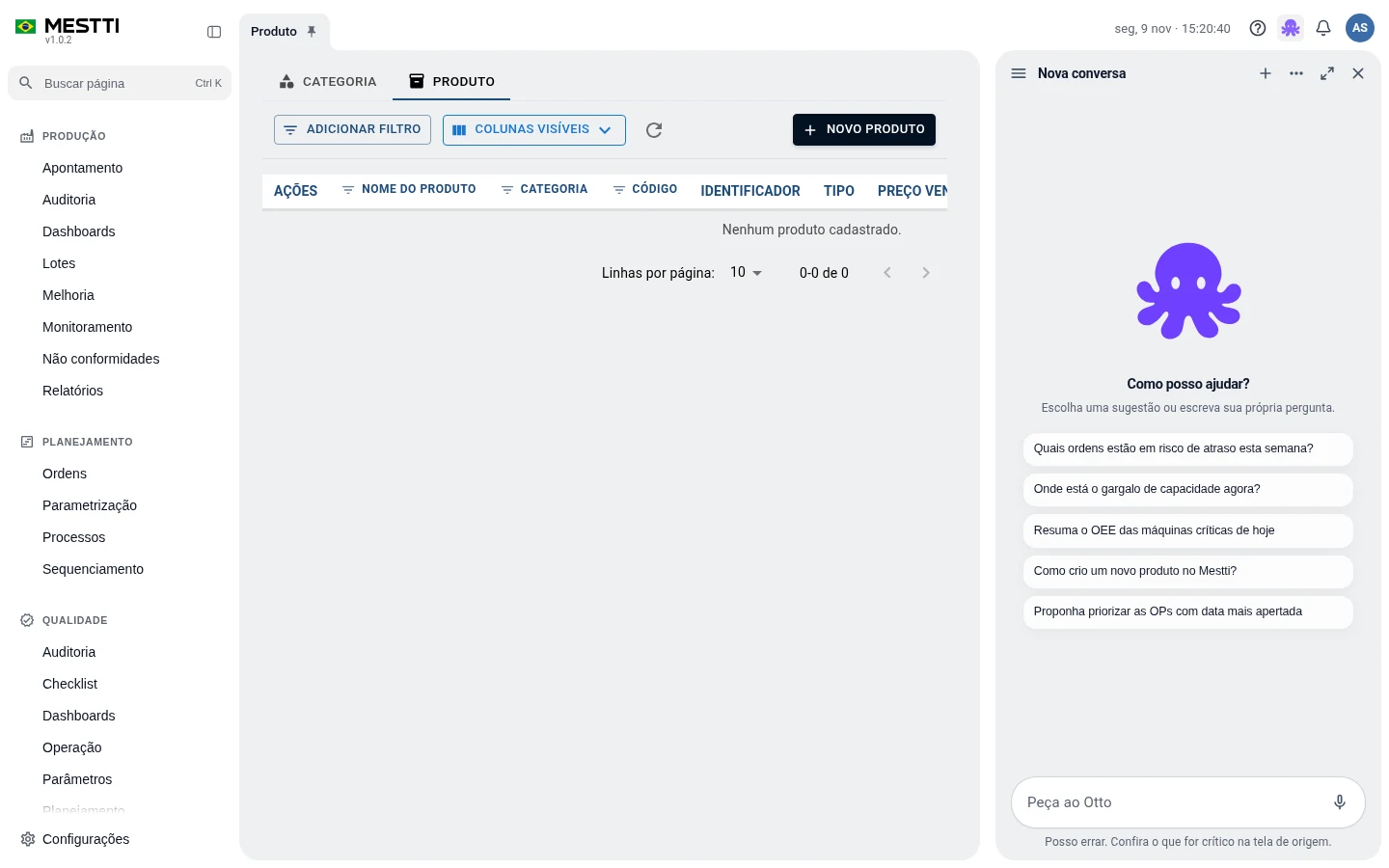
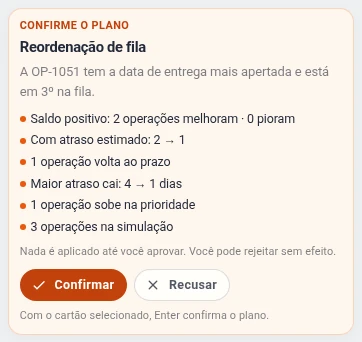
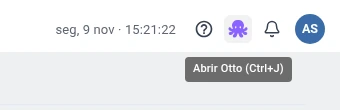
Real Otto screens, with demo data.
What it does
An analyst who already knows your production.
Interprets
Reads stops, OEE, orders and quality and explains what changed and why.
Converses
Understands questions in natural language, from supervisor to director.
Queries the system
Pulls production, scheduling and quality from Mestti’s tools before answering.
Keeps context
Remembers what was said and picks the analysis up where it stopped.
How Otto acts
Every action goes through a person.
- ProposesDescribes the action and why.
- SimulatesShows the effect before anything changes.
- You approveAn authorized person decides.
- RunsMestti applies it under the system’s rules.
- ChecksChecks the result is the expected one.
- LogsIt stays in the history, with who approved.
- The numbers come from the system.Indicators and calculations are Mestti’s own. Otto explains and organizes them.
- Everyone sees what they could already see.Otto uses the user’s permissions, and each company’s data stays separate.
- The machine’s record never changes.What the sensor recorded stays as it was recorded.
What people ask about Otto.
How do I open Otto?
From the Otto button at the top of any Mestti screen or with Ctrl + J. It opens beside the screen and can go full screen.
Does Otto replace my manager’s experience?
No. It shortens the path to the information and suggests where to look. The decision stays with whoever knows the factory.
Can Otto change production data?
Only actions Mestti supports, and always after an authorized person approves. The machine’s original record is never changed.
What language can I ask in?
In Portuguese, the way you’d talk to someone at the factory.
See Otto answer with your factory’s data.
Leave your contact and we will schedule the demo at the best time for you.
Prefer to talk now? WhatsApp · (43) 99109-5035