

Production scheduling
Does your factory promise due dates based on data or on guesswork?
Production scheduling sets the order in which operations go into each machine, respecting capacity, setup, priorities and the due date. Good scheduling shows, before starting, when each order should be ready and which one will be late.

By João Brighenti, founder of MesttiReviewed on
Sound familiar?
Scheduling production shouldn’t be a guessing game.
In many factories, planning decides the sequence without seeing the machines’ real capacity.
- The order changes.
- The customer moves the date up.
- The machine falls behind.
- The queue grows.
And the plan gets redone over and over.
Who feels it
The cost of scheduling in the dark shows up as delays.
Planning
More rework to reschedule.
Production
More priority changes and lost pace.
Delivery
More risk of late delivery to the customer.
Management
Less confidence to make decisions.
Finance
Wasted production capacity.
Delays rarely start in shipping. They start when the factory schedules without seeing the queue.
Inside the system
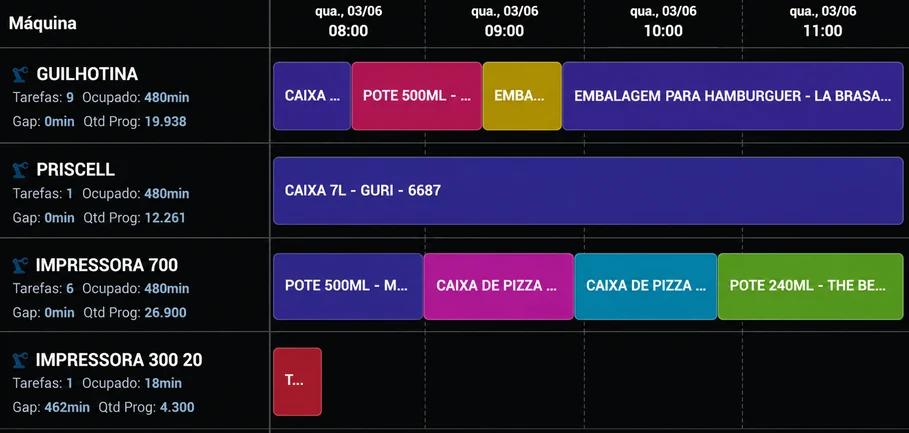
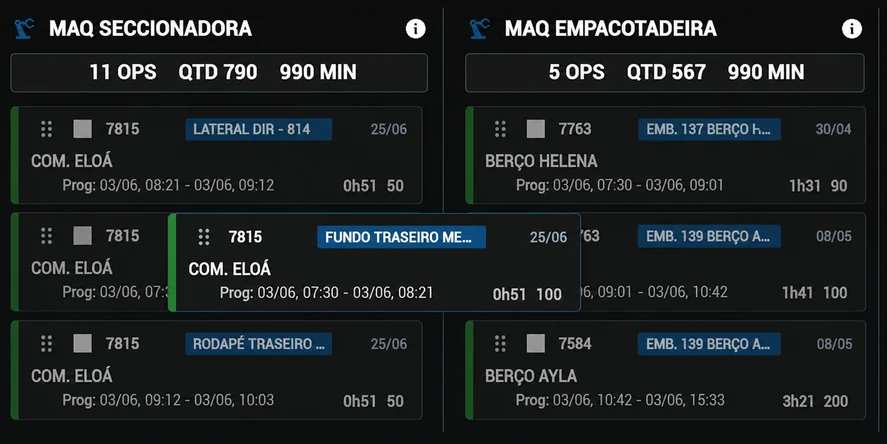
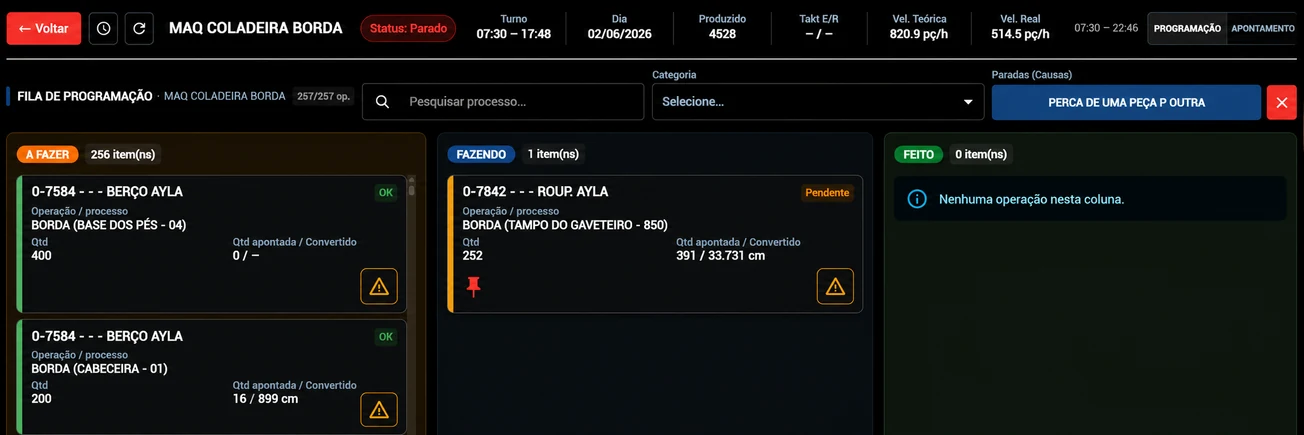
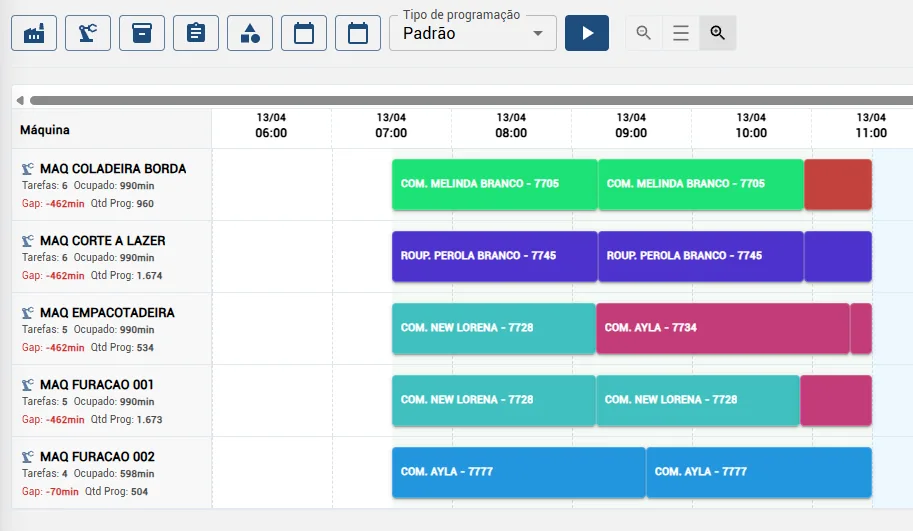
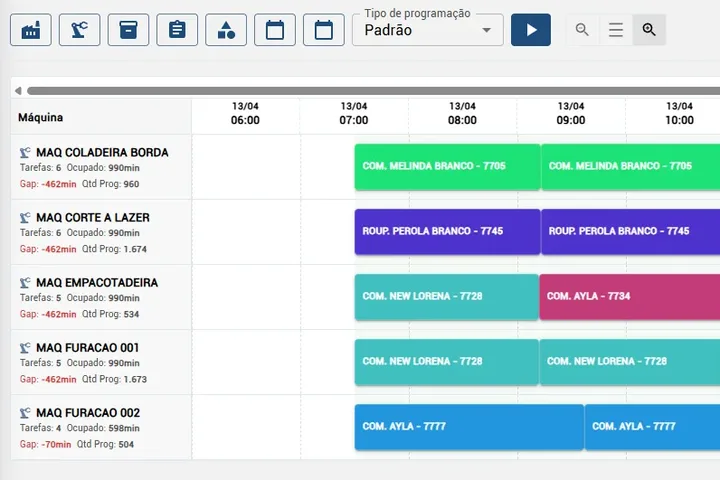
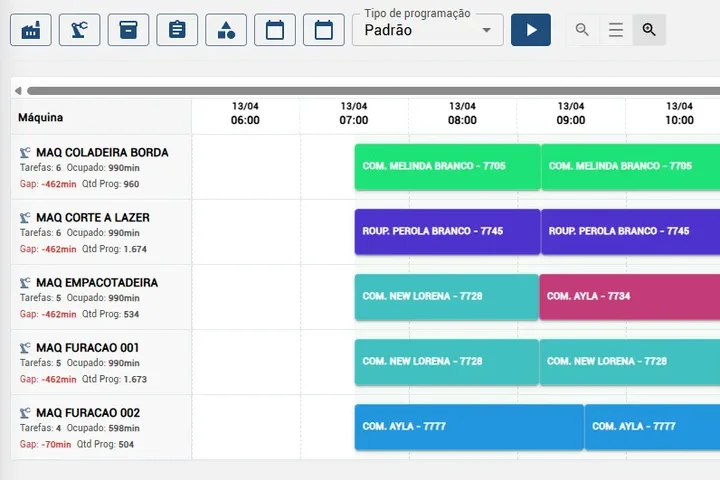
See your schedule in a single view.
How orders are spread, how loaded each machine is and what needs attention, on one board.
What goes into the calculation
Capacity
Each machine’s shifts, calendar and planned stops.
Operation time
Engineering cycle time, quantity, parts per cycle and setup.
Constraints
Do not start before, finish by, and alternative machines.
Priority and due date
The date promised to the customer and each order’s urgency.
Duration = cycle time × cycles + setupCycles = quantity ÷ parts per cycle, rounded up. The duration is added to the machine’s queue, within the shift calendar.
Most common priority rules
No rule is always best. What matters is seeing the effect of each choice on due dates.
First come, first served
FIFO
Simple and fair, but ignores the due date.
Earliest due date
EDD
Reduces delays, but can increase setups.
Shortest processing time
SPT
Finishes more orders sooner; long ones may wait too long.
Group by setup
Groups similar products and reduces changeover time.
The same four orders under each rule. Color is the setup family and width is the duration.
Smart scheduling
Mestti tests the rules for you.
The scheduling engine builds each machine’s queue with sequencing heuristics and compares the delay of each scenario with the current queue. Operations already started or locked by planning stay where they are.
- Earliest due date
- Critical ratio
- Weighted priority
- Setup grouping
- Setup with urgency
And Otto talks you through the schedule.
Otto is Mestti’s AI agent. It works with the factory’s real schedule, within each user’s permissions.
- Looks upEach machine’s queue, each department’s load and each order’s delay risk.
- SimulatesShows the effect of a schedule change before it’s applied.
- ProposesSuggests the new sequence. It only takes effect after someone in planning approves it.
Ask Otto
- Which orders are at risk of being late this week?
- What does the edge bander’s queue look like?
- If I move this order up, what gets delayed?
- Which department is the most loaded?
Spreadsheet or visual scheduling?
In a spreadsheet
- Dates are calculated by hand, with the time someone remembers.
- Changing a priority means redoing the whole queue.
- The delay shows up when the customer calls.
In visual scheduling
- Duration comes from the cycle time recorded by engineering.
- Each machine has its own queue on a timeline.
- An order that goes past its due date is flagged before it starts.
Scheduling at Mestti
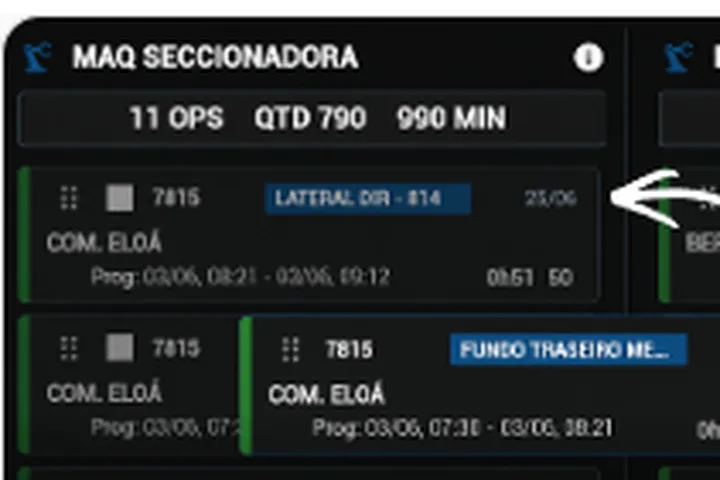
Planning schedules an order from the backlog and it enters the machine’s queue, with expected start and end.
Duration comes from the engineering routing: cycle time, parts per cycle and quantity.
The calendar and shifts are taken into account; planned stops do not count as losses.
An order that finishes after its due date is flagged, and monitoring shows right away when a machine stops.
The sequencing decision stays with your planner.
Who it’s for
For factories that want to stop scheduling in the dark.
It makes sense for your factory if today you:
- Schedule production in spreadsheets
- Depend on manually entered information
- Struggle to see machine capacity
- Change the production sequence often
- Deal with delays and rush orders
- Want to decide with more reliable data
Questions about scheduling
Is scheduling the same as APS?
APS (Advanced Planning and Scheduling) is the name for software that calculates schedules with finite capacity. Mestti shows each machine’s queue by capacity and calculates expected dates; the sequencing decision stays with the planner.
What is finite capacity?
It means scheduling knowing that each machine runs one operation at a time and has limited hours per day. The queue extends forward instead of piling everything on the same day.
What happens when a machine stops?
The stop shows up right away in monitoring, and the forecast for the running operation accounts for what is left to produce. Planning decides whether to change the sequence or the machine.
Can alternative machines be used?
Yes. Engineering defines which machines each operation can run on, and planning chooses when scheduling.
I already use a spreadsheet. Does this still make sense?
Yes. A spreadsheet helps at first, but it doesn’t add up each machine’s queue on its own or warn you when an order will miss its date.
My team isn’t very tech-savvy. Is that a problem?
No. Planning works on a visual board, and the operator only sees their own machine’s queue on the tablet.
Do I need to stop the factory to set it up?
No. Machines, routings and orders are set up while the factory keeps running, and the sensor is installed without touching the PLC.
My factory is small. Does it make sense?
Yes. Even with a few machines, seeing the queue and each order’s expected date avoids promising dates blindly.
Articles on this topic (in Portuguese)
Promise dates based on the real queue, not guesswork.
Leave your contact and we will schedule the demo at the best time for you.
Sensors ready within 7 days. Installed in 1 day.
Prefer to talk now? WhatsApp · (43) 99109-5035